
NightWin Mobile Casino: Android APK v1.3.8 and iOS Browser Access
NightWin's mobile setup is built on a single principle: the full platform available on any device without a separate app-store download on either operating system. Android users get a direct APK file that installs a WebView-based application loading the casino's primary domain. iPhone users access everything through Safari and a home-screen shortcut. Neither route requires the Google Play Store or Apple App Store.
This page covers both installation methods in detail, explains what the APK actually contains based on technical analysis, and describes the full feature set available on mobile - including the cashier, live casino streaming and the sportsbook. It also addresses a question that comes up regularly with direct APK downloads: whether installing from outside the Play Store carries any risk worth noting.
The practical reality is that the mobile experience at NightWin matches the desktop version feature-for-feature. The difference between mobile and desktop is ergonomic - screen size and input method - rather than functional.
NightWin Android APK: Technical Profile
| Parameter | Value |
|---|---|
| App name | NIGHT CASINO |
| Version | 1.3.8 |
| Package name | com.casino.nightwincasinocom |
| File size | 6.7 MB |
| Primary URL loaded | https://night-wincasino.com |
| Architecture | WebView (MainActivity + WebViewActivity) |
| Build tool | Android Gradle Plugin 8.13.0 |
| iOS access method | Safari browser + Add to Home Screen |
| Google Play listing | Not available |
| App Store listing | Not available |
NightWin Casino Mobile Access: APK for Android, Browser for iOS
NightWin distributes its Android application as a direct APK file rather than through the Google Play Store, and provides no App Store listing for iPhone users. The Android APK (v1.3.8) is available from the NightWin website and installs as a standalone application on any compatible Android device. iOS users access the platform through Safari and create a home-screen shortcut that launches the site in a full-screen view without visible browser navigation. Both routes deliver the same casino, the same sportsbook and the same account access.
The decision to distribute outside the official app stores is common among online casino operators, particularly those whose licences fall outside the jurisdictions where Play Store and App Store listings are uncomplicated. NightWin's Curacao licence does not prevent Android APK distribution; it simply means the app bypasses the Play Store's review process.
NightWin on Android: direct APK download, version 1.3.8 (6.7 MB)
The NightWin APK weighs 6.7 megabytes and carries version number 1.3.8 under the package identifier com.casino.nightwincasinocom. Technical analysis of the package confirms it is a WebView-based application: the core logic sits in a WebViewActivity that loads night-wincasino.com in full-screen mode, with MainActivity handling the initial launch sequence. The build was produced with Android Gradle Plugin 8.13.0 and includes Kotlin coroutines for asynchronous operation management. Facebook OAuth integration is present in the package, though this relates to authentication framework availability rather than a confirmed Facebook login option visible in the app.
The small file size reflects the WebView architecture. Rather than shipping casino assets - game graphics, sounds, live stream infrastructure - inside the APK itself, the app loads all content from the web on demand. This means updates to the casino's frontend require no APK reinstall; the app always loads the current version of the site.
NightWin on iOS: Add to Home Screen via Safari - no App Store required
iPhone users open the NightWin site in Safari, tap the Share button (the square with an upward arrow), and select "Add to Home Screen" from the share sheet. After naming the shortcut and tapping Add, a NightWin icon appears on the device's home screen. Tapping it opens the casino in full-screen Safari without the browser address bar or navigation controls visible - functionally similar to a native app launch. The full platform, including all game categories, the sportsbook, account settings and cashier, is accessible through this shortcut.
The shortcut is not a Progressive Web App in the strict technical sense - it is a standard Safari web clip - but the user experience closely resembles one. There is no install approval required from Apple, and no App Store review process applies.
How do you Download and Install the NightWin Android APK?
Installing the NightWin APK requires one Android settings change that is not enabled by default: permission to install applications from sources outside the Play Store. This setting is controlled at the browser or file-manager level on Android 8 and above, and at the system level on older versions. Enabling it specifically for the download browser rather than system-wide is the more cautious approach.
Tip: Download the APK directly from the NightWin website rather than from any third-party APK repository. The official source ensures you receive the version the operator distributes; third-party sites cannot guarantee the file has not been modified.
Step-by-step: installing NightWin APK on an Android device
- Open the NightWin website in Chrome or your preferred Android browser and navigate to the APK download link. Tap it to begin the download.
- When the download completes, your browser or notification bar will prompt you to open or install the file. If Android asks to allow installation from this source, tap Settings and enable "Install unknown apps" for your browser, then return and confirm installation.
- The Android installer will show the app name (NIGHT CASINO) and package details. Tap Install. The installation completes in a few seconds given the 6.7 MB file size.
- Once installed, open NIGHT CASINO from the app drawer or tap Open in the installer. The app launches and loads night-wincasino.com.
- Log in with your NightWin credentials or proceed to registration if you have not created an account.
The app does not require an account to launch - the casino site loads and registration is accessible from within the application.
Is it safe to install the NightWin APK outside Google Play?
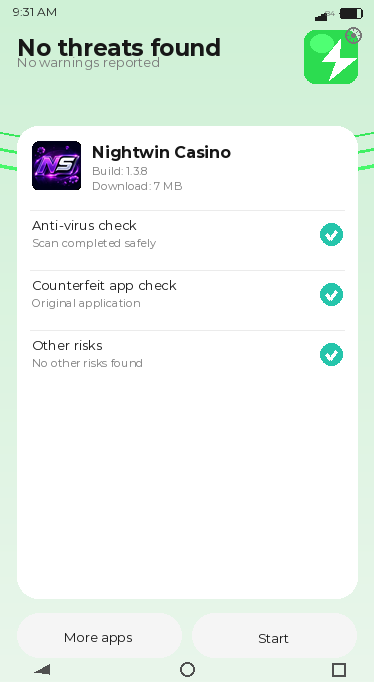
Sideloading APKs - installing Android applications outside the Play Store - carries inherent risk when the source is unknown. The specific risk is that a modified APK from an untrusted third party could contain additional code not present in the original. For the NightWin APK obtained directly from the operator's own website, technical analysis confirms the package structure: it is a standard WebView wrapper with no unusual permissions beyond those typical for a web-based application, and no behaviour beyond loading a specific domain in full-screen mode.
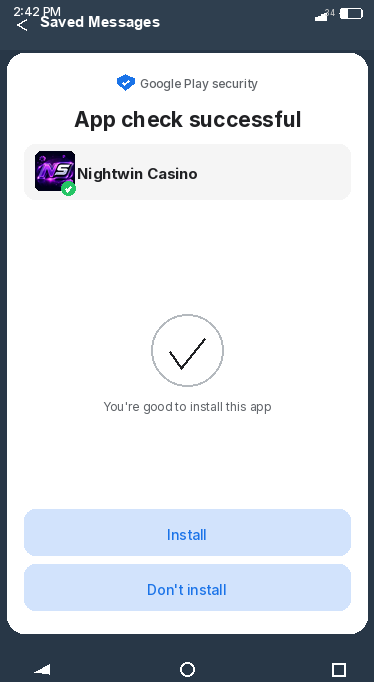
Google Play's security screening is a useful layer, but it is not the only safeguard. Downloading exclusively from the official NightWin domain and enabling the "Install unknown apps" permission only for that specific browser session removes the main variable that makes sideloading risky.
How do you Add NightWin to Your iPhone Home Screen?
Adding NightWin to the iPhone home screen is a four-tap process that takes under thirty seconds. Unlike the Android APK route, no settings changes are required: Safari supports web clips natively as a standard iOS feature available on all iPhones running a current iOS version.
By our observation, the most common point of confusion is distinguishing the Share button (square with upward arrow, found at the bottom of the Safari screen) from the browser's address bar menu. The Share button opens the iOS share sheet; the address bar menu does not contain the "Add to Home Screen" option.
Safari shortcut guide: adding NightWin Casino to your iPhone home screen
Open the NightWin site in Safari on your iPhone. Tap the Share icon at the bottom centre of the screen. Scroll through the share sheet until you find "Add to Home Screen" and tap it. A naming field appears - the default name is typically the site's title. Tap "Add" in the top right corner. The shortcut icon appears on your home screen and can be repositioned like any native app icon.
On iPads, the Share icon location varies by iOS version - it may be in the top right corner of the browser rather than the bottom. The process is otherwise identical. The shortcut opens in full-screen Safari without the browser chrome, giving the same visual experience as a native application launch.
Does the NightWin iOS shortcut behave the same as a native iPhone app?
From a player's perspective, the shortcut is functionally equivalent to a native app for the purposes of using the casino. It launches full-screen, loads the platform directly, and provides access to every section - games, live casino, sportsbook, cashier. There are three differences compared to a native application: push notifications are not available through a Safari web clip (native apps can deliver them), the session may not persist as reliably across device restarts, and the experience is dependent on Safari's current version rather than a standalone runtime environment.
For players who only use the casino on an active session basis rather than relying on promotional notifications, these differences are unlikely to affect day-to-day use.
NightWin Mobile Features: Full Casino, Sportsbook and Cashier Access
The NightWin mobile platform does not impose any feature restrictions compared to the desktop version. Every section accessible on desktop - all eight game categories, the live casino studio tables, the sportsbook with live betting, account management, bonus claims and the full cashier - is available through the mobile browser or APK. Touch controls replace cursor navigation, and the layout scales responsively to the device's screen dimensions.
What features are available on the NightWin mobile casino?
All primary platform sections operate on mobile: the slots lobby with its full catalogue and filtering tools, live dealer tables from Evolution Gaming and Ezugi, digital table games, the integrated sportsbook with Bet Builder and cash-out, the promotions section covering daily reload and Fortune Wheel access, account settings and KYC document upload, and the cashier supporting the full range of deposit and withdrawal methods. The live casino video streams adjust automatically to available connection quality, and slot games are touch-optimised with standard swipe and tap controls.
Account management functions - balance check, transaction history review, deposit limit setting and self-exclusion request - are all accessible through the mobile interface, meaning a player does not need desktop access to manage their account after initial registration.
NightWin mobile cashier: making deposits and withdrawals from your phone
Deposits and withdrawals through the NightWin mobile cashier follow the same process as desktop. Open the cashier section from the account menu, select the payment method, enter the amount and authenticate the transaction through your payment provider's standard mobile flow (biometric for Apple Pay and Google Pay, card details or app authentication for others). Withdrawal requests are submitted from the same section. The 24-hour cooling period after the first deposit applies regardless of whether the deposit was made on desktop or mobile.
For Apple Pay and Google Pay users, the mobile context is where these methods are most natural: the payment flow integrates with the device's wallet and biometric authentication without requiring manual card number entry, making deposits faster than on desktop where these wallets require additional steps.
NightWin Mobile vs Desktop: Is the Gaming Experience the Same?
A: The NightWin mobile platform loads the same front-end as the desktop site, sourced from the same servers, with the same game catalogue and account data. There is no separate mobile database, no restricted game library and no features held back for desktop-only access. B: The difference between mobile and desktop is input method and screen space: touch versus cursor, and a narrower viewport versus a wide display. C: For players, this means mobile is functionally interchangeable with desktop for most activities - slot sessions, sportsbook bet placement and cashier transactions involve no practical difference. The scenarios where desktop retains an edge are those that benefit from the larger screen: multi-table live casino sessions, detailed sportsbook market analysis across many fixtures, and reviewing lengthy transaction histories.
Where NightWin mobile has an advantage: portability, touch controls and push sessions
Mobile play allows access to the NightWin sportsbook during live events from anywhere, which is its most relevant practical advantage over desktop. In-play odds movements, cash-out decisions and bet placement during a sports event benefit from the ability to act immediately rather than being constrained to a desktop session. Touch controls on slots are also more ergonomically natural for portrait-mode play than a trackpad or mouse, particularly on smaller screens where tap targets map to the natural size of a fingertip.
The NightWin APK also means the app is visible as a persistent home-screen icon rather than a browser bookmark, which reduces the friction of opening a session.
Where NightWin desktop still has an edge: multi-table live casino viewing
NightWin's live casino section includes multiple simultaneous table options, and viewing several tables or comparing odds across different live shows is more practical on a desktop display that accommodates multiple sections in the viewport simultaneously. A player running two live casino tables alongside the sportsbook on a 27-inch monitor has visual context that a phone screen, regardless of resolution, cannot replicate in the same way.
Detailed sportsbook analysis - comparing multiple markets across a fixture, reviewing historical odds or building a complex Bet Builder selection - also benefits from the wider display and keyboard input available on desktop.
NightWin Mobile Login: Email, Phone Number and Username
NightWin supports three login credentials on mobile as on desktop: email address, phone number (with UK +44 prefix) and username. The login button is positioned at the top of the page - in the NightWin APK and in the Safari browser version - and the credential entry form is identical across both mobile access methods. There is no mobile-specific login flow; the same process applies whether the player is using the Android app or the iOS Safari shortcut.
Password recovery from mobile follows the same channel options as desktop: email link or SMS code to the registered phone number. If a player is locked out on a mobile device, the recovery process is fully functional from within the mobile browser without needing desktop access.
NightWin mobile login: how to sign in using email, phone or username
Tap the login button at the top of the NightWin interface, select the credential type from the available options (email, phone or username), enter the corresponding detail along with the account password, and tap the confirm button. The session opens immediately on successful authentication, landing on the main casino lobby. Navigation between sections - casino, sportsbook, promotions, account - is available from the main menu icon, typically a hamburger or navigation drawer control.
The login process on the Android APK and in the Safari browser is functionally identical since both load the same front-end from night-wincasino.com.
Staying logged in and managing sessions on the NightWin mobile browser
The NightWin mobile session persists through browser cookies or the APK's WebView storage.
On iOS, the Safari shortcut stores session cookies within Safari's standard cookie container. If a player uses "Clear History and Website Data" through Safari settings, the NightWin session cookie is removed and the next launch will require a fresh login regardless of whether the "stay logged in" option was previously active. Closing the app or browser tab does not automatically log the account out; the session typically resumes on the next open. On shared devices, this is a security consideration: manual logout through the account menu is the correct practice before handing the device to another person. Browser data clearing on mobile - through Safari's "Clear History and Website Data" or Chrome's equivalent - will also end the session and require fresh login on the next visit.
NightWin Mobile Performance: Live Streams, Load Speed and Touch Controls
Performance across NightWin's three main content types on mobile follows a predictable pattern: slots are the lightest, live casino is the most bandwidth-intensive, and the sportsbook sits between them. The WebView architecture means all content loads remotely on demand, which produces a different performance profile from a native app that caches assets locally - the trade-off is always-current content against slightly longer initial load on each session.
How does NightWin live casino stream quality hold up on a 4G connection?
Evolution Gaming's live tables stream at 720p or above under adequate connection conditions, with automatic bitrate adjustment when bandwidth is constrained. On a stable 4G connection with typical UK mobile data performance, the stream quality is sufficient for standard table games - roulette ball tracking and card dealing are clearly visible. Game shows like Crazy Time, which display a wider information overlay alongside the main wheel feed, require slightly more sustained bandwidth and are more susceptible to brief buffer pauses on borderline connections than standard roulette or blackjack tables.
Wi-Fi consistently delivers a better live casino experience than 4G. For extended live casino sessions from a fixed location, connecting to a home or office Wi-Fi network before opening the live section removes most connection variability.
NightWin slot load times and touch-optimised controls on mobile
Individual slot titles in the NightWin catalogue load within the WebView frame on each launch, pulling assets from the game provider's delivery network. First load for a title typically takes 3-8 seconds on a 4G connection; returning to a title within the same session may be faster if assets are cached by the WebView. Touch controls are standard across the slot catalogue: tap to spin, swipe to adjust bet, pinch-to-zoom where applicable. Bonus round interactions - pick-a-box selections, expanding reel confirmations - are designed for touch input across all modern slot titles from NightWin's studio partners.
NightWin on Mobile: Tips, Promotions and Best Practices
Getting consistent performance from NightWin on mobile involves a small number of practical adjustments that make a measurable difference. These are not platform-specific tricks but standard best practices for browser-based casino play on mobile.
Tips for faster loading and smoother mobile play at NightWin
Keep the Safari or Chrome browser updated to the current version, since NightWin's front-end may use features that older browser versions handle less efficiently. Clear the browser cache and site data periodically - accumulated cached content from previous sessions can slow initial load times for new content. For the Android APK specifically, ensure the device has sufficient storage: 6.7 MB for the app itself plus the temporary cache generated during play. Enabling Wi-Fi before opening a live casino session removes the single most variable factor in streaming quality.
On iOS, Safari's "Add to Home Screen" shortcut tends to maintain session cookies more reliably than a regular browser bookmark. Using the shortcut rather than searching for the site each time produces a more consistent session experience.
Claiming NightWin daily promotions on mobile: Fortune Wheel and reload bonuses
The Daily Fortune Wheel and daily reload bonus are both accessible from the NightWin promotions section on mobile, requiring no desktop interaction to claim. Open the promotions section from the main navigation, locate the active offers, and follow the claim or activation prompt within the mobile interface. The Fortune Wheel spin executes within the same session; the reload bonus activates on the next qualifying deposit made through the mobile cashier.
The NightWin mobile login guide covers the full account access process, including password recovery steps that are relevant if promotion claims are interrupted by a login issue mid-session.
When Mobile Is Not the Best Option at NightWin
Three scenarios exist where switching to desktop produces meaningfully better results. First, extended live casino sessions with multiple tables active simultaneously - monitoring two roulette tables while tracking a live blackjack hand requires a display area that a phone simply cannot provide without constant manual switching between views.
Second, detailed Bet Builder construction for football accumulators. Building a multi-selection Bet Builder entry across several markets within a fixture involves reviewing individual market odds and combining them in a specific way; the narrower viewport and touch keyboard make this more error-prone on mobile than on a desktop with a full browser layout.
Third, reviewing detailed transaction histories or Terms and Conditions during a dispute or verification query. Scrolling through multi-page documents or comparing transaction timestamps across multiple entries is more efficient on a larger screen with a scrollable browser window.
For everything else - routine slot sessions, single-selection sports bets, cashier deposits and withdrawals, and loyalty promotion claims - mobile and desktop are interchangeable at NightWin, and the mobile route has the clear advantage of availability from anywhere.
The NightWin Mobile Verdict
The Android APK and iOS Safari shortcut give NightWin a mobile access model that works without requiring app-store approval or a separate mobile-specific build. The APK is a legitimate, technically sound WebView wrapper for players who prefer an installed application over a browser shortcut. The iOS method works reliably for the platform's full functionality, with the minor limitation of no push notification support.
Performance is solid for slots and sportsbook on 4G; live casino streaming benefits from Wi-Fi for sustained high-quality video. The full account and cashier functionality on mobile means players who prefer to manage their NightWin account exclusively from a smartphone can do so without any desktop dependency.
The NightWin Casino overview covers the platform's licensing, bonus structure and payment options for players evaluating the full offering before deciding on their access method.